How to Fix Unlimited Elements Testimonial Slider Image Not Showing on Mobile
Unlimited Elements for Elementor is one of my favourite Elementor addons. It doesn’t just come with a lot of useful widgets, but it also gives designers more freedom to customise them. One thing I really like is that I can re-code a widget to match my needs, or even create my own widget from scratch.
One small issue, though, is that some widgets can feel a bit non-intuitive at first. I think this is because they often come with unique features built around the developer’s own logic, which can be different from the way Elementor’s default widgets work.
Recently, I was working on a testimonial slider that included an image, star ratings, a title, and content with different font sizes and colors.
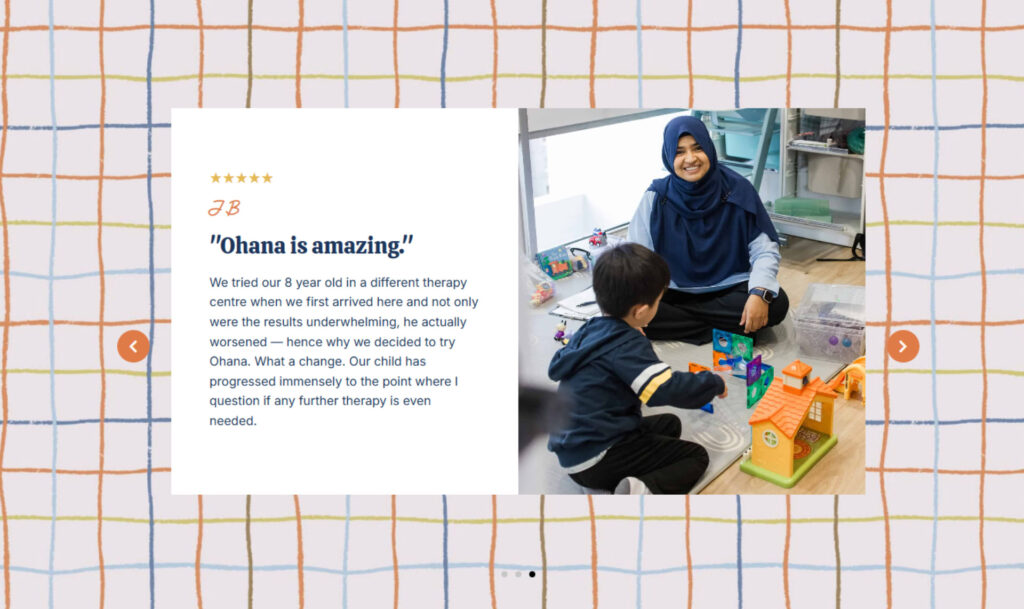
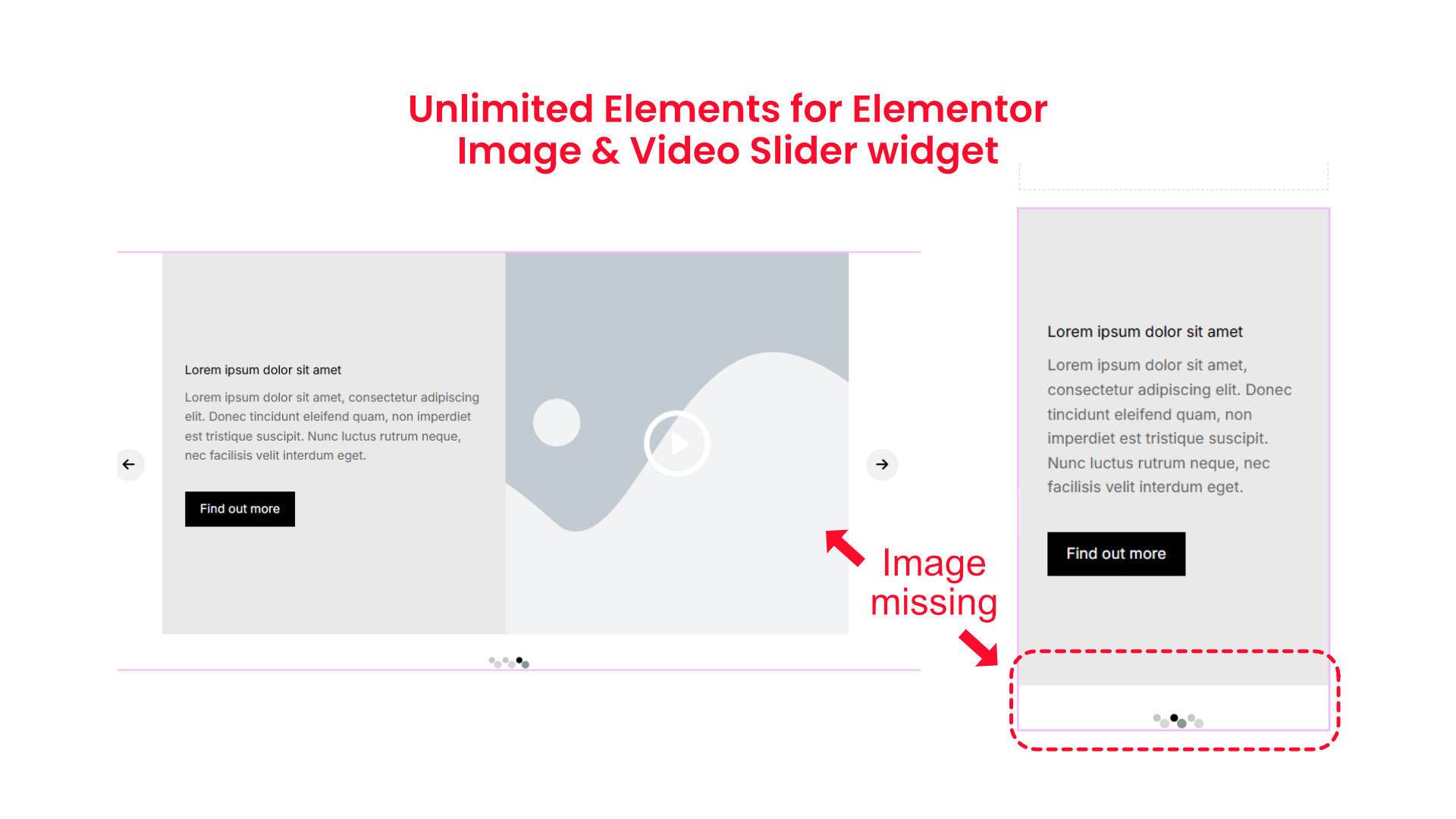
Everything looked fine at first, but when I checked the mobile view, I noticed the image was missing in the image and video slider.
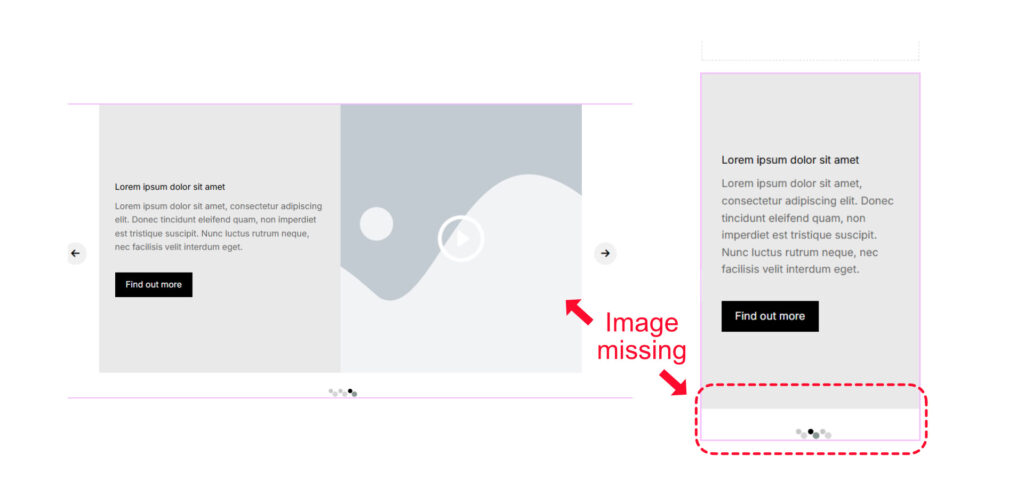
After a bit of searching, I found that the fix was actually very simple.
The Simple Setting That Fixes It
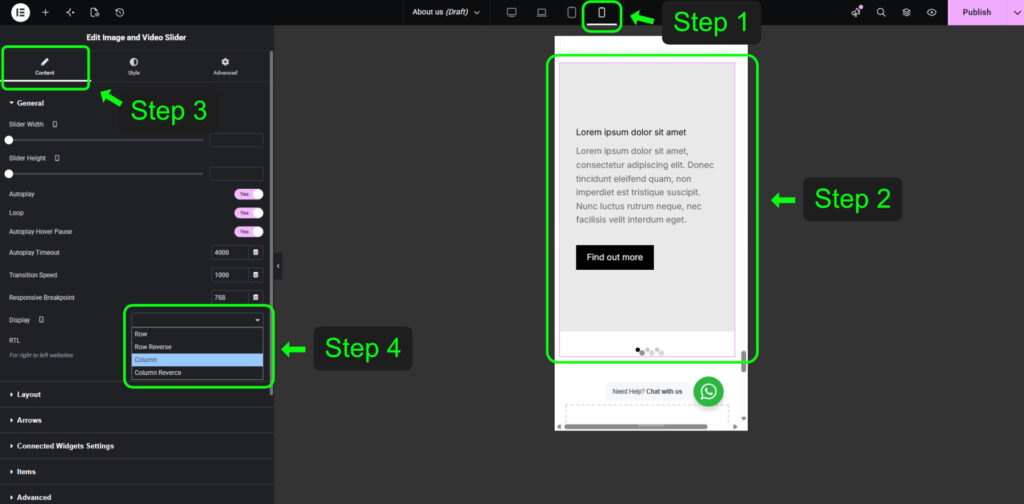
- First, switch to mobile view in Elementor.
- Then click on the image and video slider widget.
- Under the Content tab, go to General, then look for Display.
- In the dropdown menu, select Column.
Once I changed that setting, the image appeared properly on mobile.
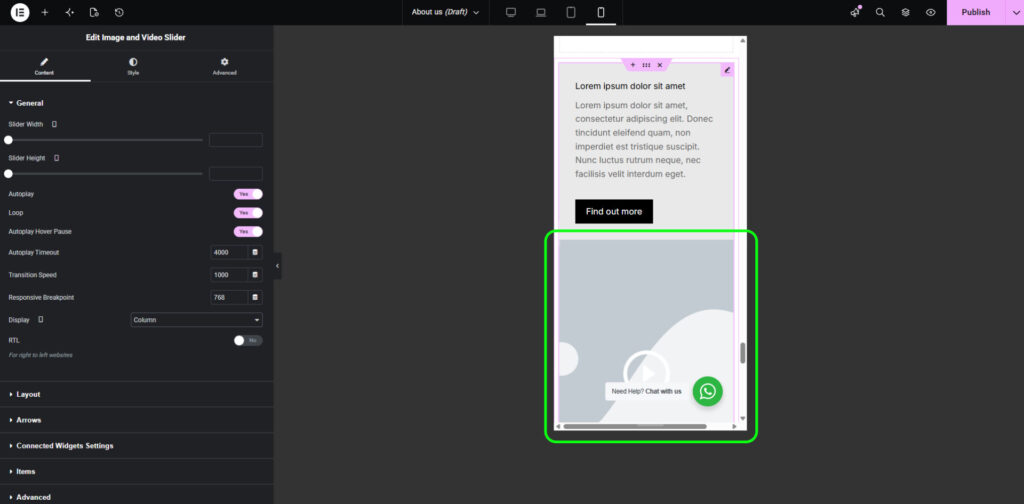
After that, just publish or update the page, and you’re done. If you run into the same issue, I hope this saves you some time!
If you’ve found these Elementor tips useful, you’ll love what Elementor Pro or Unlimited Elements has to offer. Explore advanced widgets, theme building, dynamic content, and more.
See all the features here →